
多渠道配置
本文档详细介绍如何配置多个 API 渠道实现负载均衡和故障转移。
渠道概念
渠道是连接 AI 模型的配置单元,包含:
- API 端点地址
- 认证密钥
- 模型选择
- 权重和优先级
支持的渠道类型
| 类型 | 说明 | 示例 |
|---|---|---|
openai | OpenAI 兼容 API | OpenAI、Azure、各类中转 |
claude | Anthropic Claude | Claude 3.5、Claude 3 |
gemini | Google Gemini | Gemini Pro、Gemini Flash |
配置示例
OpenAI
yaml
channels:
  - name: openai-official
    type: openai
    baseUrl: https://api.openai.com/v1
    apiKey: sk-xxx
    model: gpt-4o
enabled: trueClaude
yaml
channels:
  - name: claude
    type: claude
    apiKey: sk-ant-api03-xxx
    model: claude-3-5-sonnet-20241022
enabled: trueGemini
yaml
channels:
  - name: gemini
    type: gemini
    apiKey: AIzaSyxxx
    model: gemini-2.0-flash
enabled: true第三方兼容 API
yaml
channels:
  - name: deepseek
    type: openai
    baseUrl: https://api.deepseek.com/v1
    apiKey: sk-xxx
    model: deepseek-chat

  - name: moonshot
    type: openai
    baseUrl: https://api.moonshot.cn/v1
    apiKey: sk-xxx
model: moonshot-v1-8k多渠道策略
三种策略对同一批 channels 列表的选路方式(字段均见本页「渠道参数」表):
负载均衡
配置多个渠道并设置权重:
yaml
channels:
  - name: primary
    baseUrl: https://api.openai.com/v1
    apiKey: sk-xxx
    model: gpt-4o
    weight: 3  # 权重 3

  - name: secondary
    baseUrl: https://api.deepseek.com/v1
    apiKey: sk-xxx
    model: deepseek-chat
weight: 1 # 权重 1请求会按权重比例分配到各渠道。
故障转移
启用故障转移,当主渠道失败时自动切换:
yaml
channels:
  - name: primary
    baseUrl: https://api.openai.com/v1
    apiKey: sk-xxx
    model: gpt-4o
    priority: 1  # 优先级最高

  - name: backup
    baseUrl: https://api.deepseek.com/v1
    apiKey: sk-xxx
    model: deepseek-chat
priority: 2 # 备用模型路由
为不同场景配置不同模型:
yaml
channels:
  - name: chat
    model: gpt-4o-mini
    tags: [chat, default]

  - name: coding
    model: gpt-4o
    tags: [coding, complex]

  - name: vision
    model: gpt-4o
tags: [vision, image]渠道参数
| 参数 | 类型 | 说明 |
|---|---|---|
name | string | 渠道名称(唯一) |
type | string | 渠道类型:openai/claude/gemini |
baseUrl | string | API 端点 |
apiKey | string | API 密钥 |
model | string | 默认模型 |
enabled | boolean | 是否启用 |
weight | number | 负载均衡权重 |
priority | number | 故障转移优先级 |
timeout | number | 请求超时(毫秒) |
maxRetries | number | 最大重试次数 |
模型参数
可以为每个渠道配置模型参数:
yaml
channels:
  - name: creative
    model: gpt-4o
    modelParams:
      temperature: 0.9
      maxTokens: 4096
      topP: 0.95

  - name: precise
    model: gpt-4o
    modelParams:
      temperature: 0.1
maxTokens: 2048代理配置
为渠道配置代理:
yaml
channels:
  - name: openai
    baseUrl: https://api.openai.com/v1
    apiKey: sk-xxx
    proxy:
      type: http  # http | socks5
      host: 127.0.0.1
port: 7890Web 面板配置
通过 Web 管理面板配置渠道更直观:
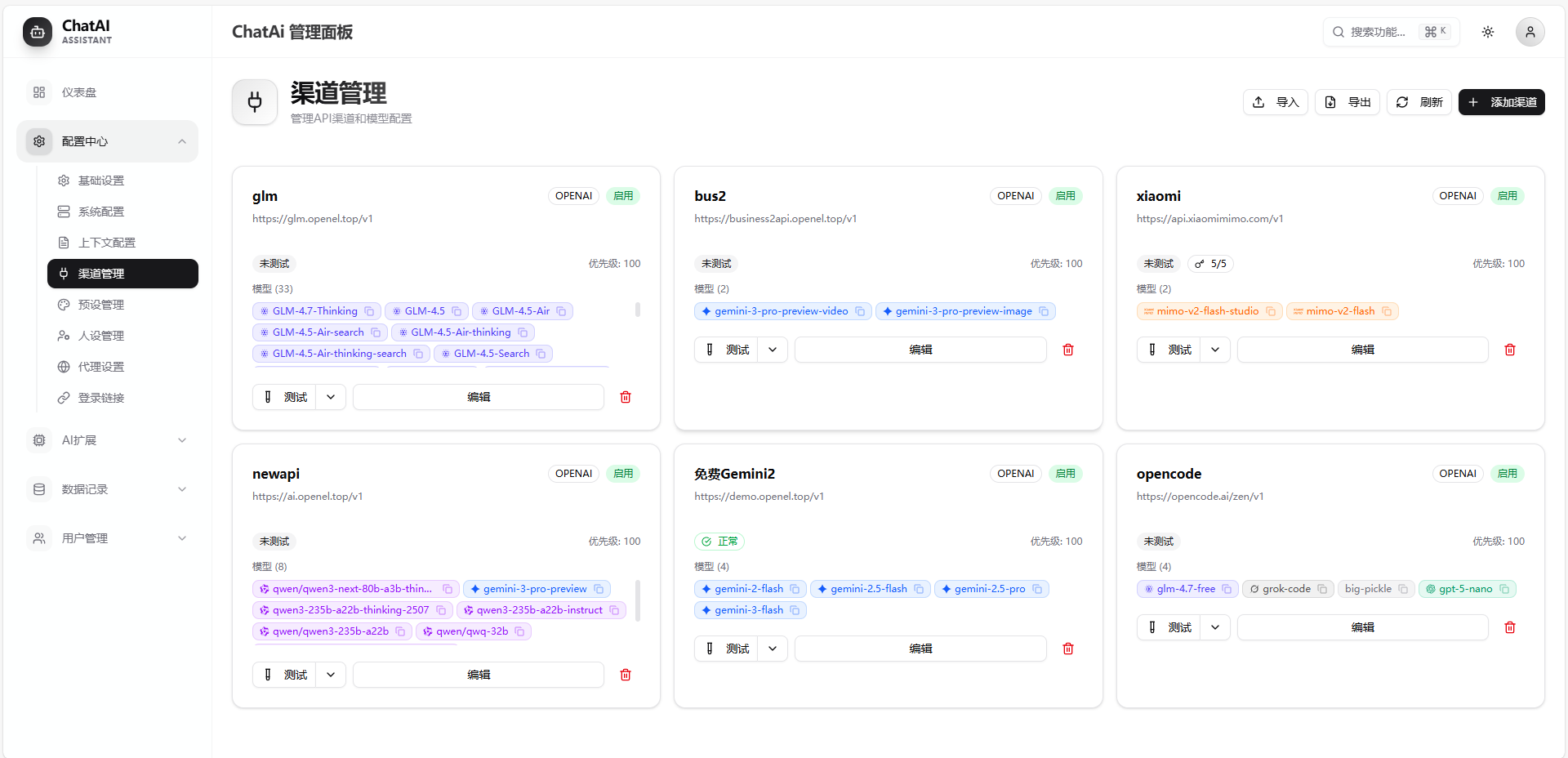
操作步骤
- 进入 渠道配置 页面
- 点击 添加渠道
- 选择渠道类型
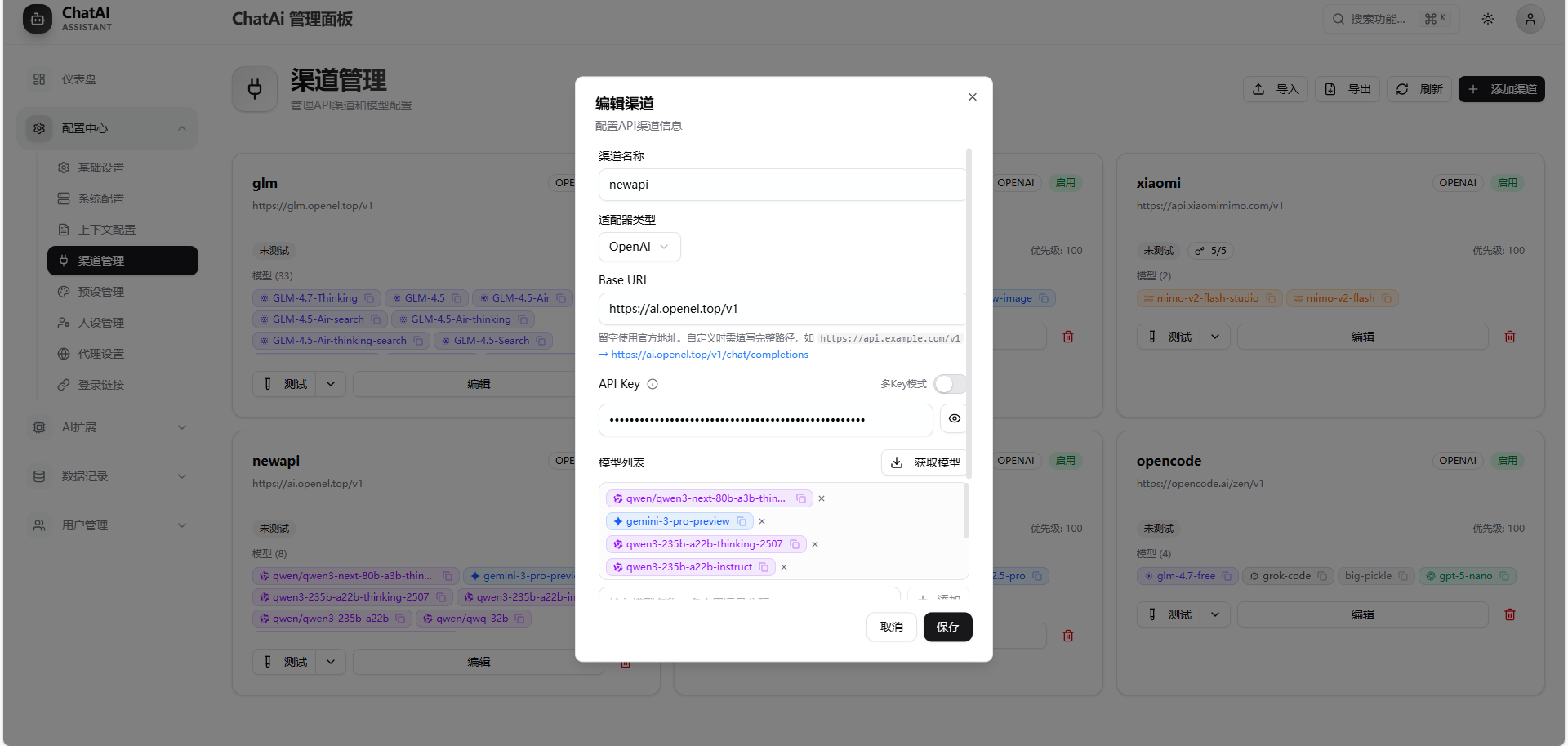
- 填写配置信息
- 点击 测试连接 验证
- 保存配置
编辑渠道
模型测试
点击渠道卡片可以测试该渠道支持的模型:
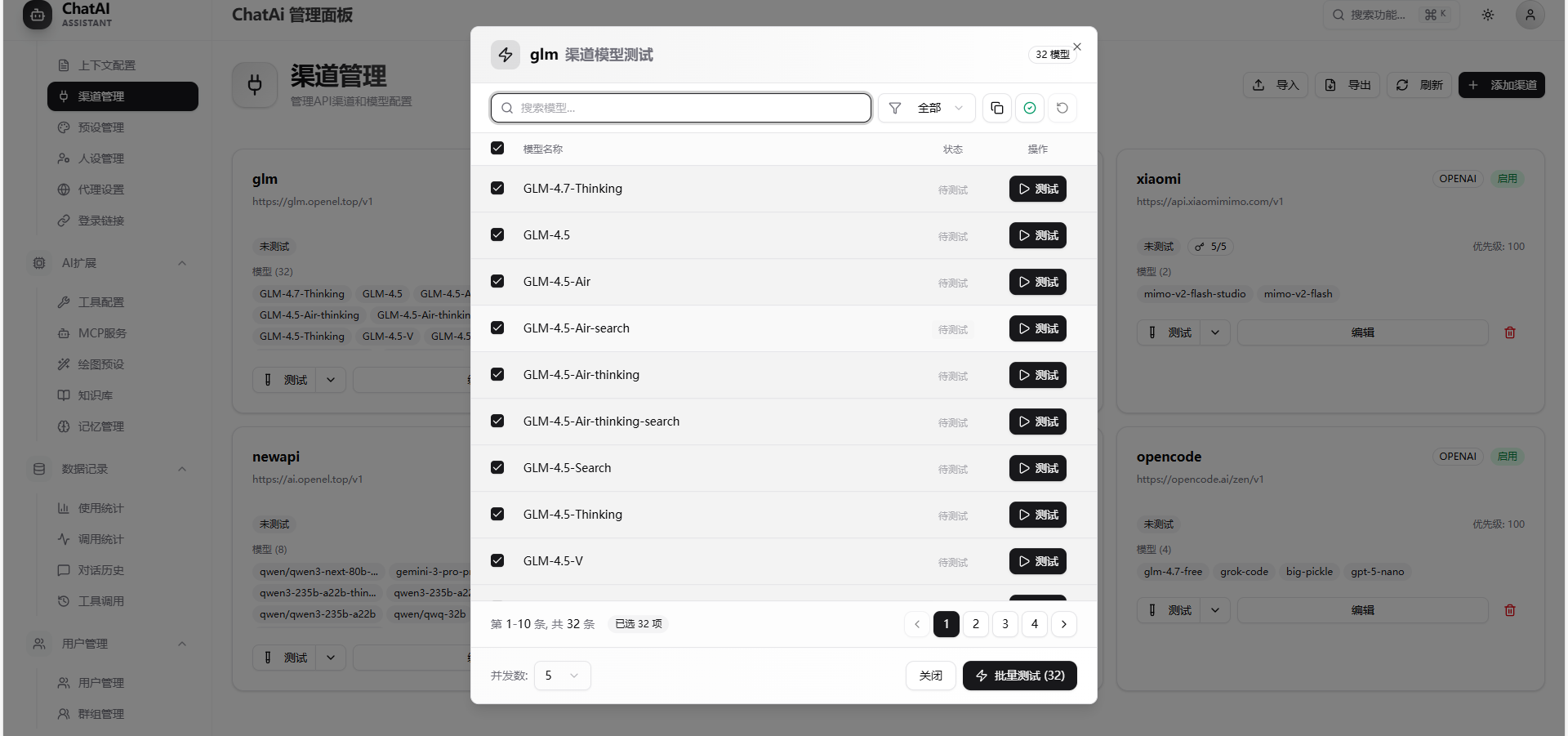
测试渠道
命令测试
#测试渠道 openaiAPI 测试
bash
curl -X POST http://localhost:3000/api/channels/test \
  -H "Content-Type: application/json" \
-d '{"name": "openai"}'最佳实践
- 至少配置两个渠道,确保高可用
- 设置合理的超时和重试,避免请求卡死
- 使用 API 中转服务时注意安全性
- 定期测试渠道连通性